

MarketAgent product guide.
Pro runs your wholesale operation from consignments and sales through to grower payments and accounts. Staff can work with the same stock in Hub from anywhere. Buyers and growers trade with you through Connect, and buyers can use Connect+ to manage purchases across suppliers.
 For buyers and growers
MarketAgent Connect.
Invite your buyers and growers by email. They can order produce, advise consignments and check their own documents from a phone or browser. Connect is an optional addition to Hub.
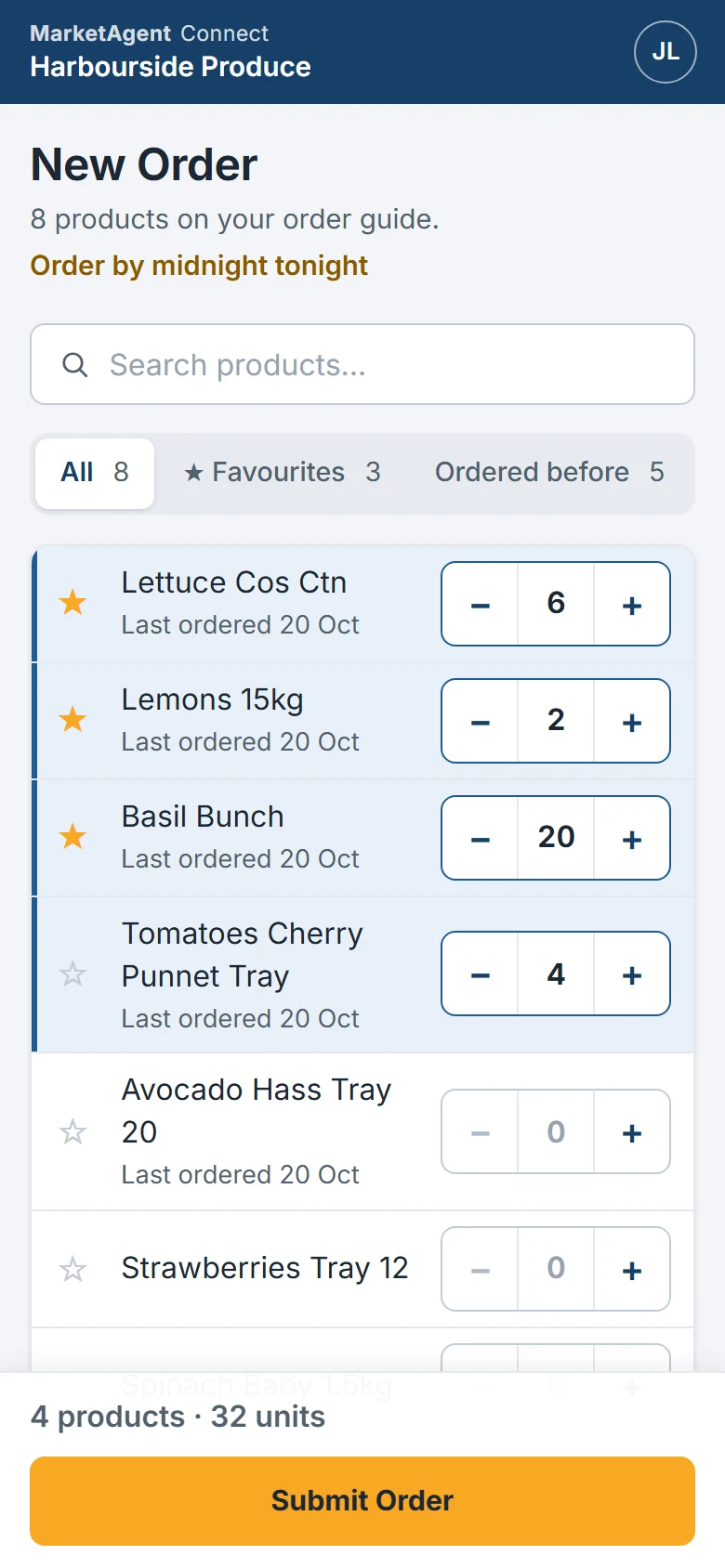
- Buyers’ orders
- Buyers can order from their shop or on the go using their order guide, favourites or previous purchases. They enter quantities and choose a delivery day up to a week ahead. The wholesale team prices the sale.
- Growers’ consignments
- Growers advise what’s on the truck, its arrival day and the consignment note. They can attach photos and follow what was received, priced and paid.
- Documents
- Buyers see what was supplied, their invoices, credit notes and receipts. Growers can view their own payback advices, remittances and tax invoices.
MarketAgent Connect+
An optional paid workspace in Connect for your own buying business. Keep purchases from all your suppliers together, including those who don’t use MarketAgent.
Ordering from your wholesaler through Connect stays free for buyers.
Request a Connect+ demo-
Check the docket
Photograph a supplier’s docket to create a draft purchase. Check the items, quantities and prices before you save it. A price alert flags an item that costs more than last time.
-
Count what’s on hand
Track the same item across suppliers and see what you paid for it. Record waste and count stock on your phone.
-
Plan the market run
Your count and target stock levels help suggest what to buy next. Email an order to a supplier or take a list organised by stand and tick things off as you buy.
 For the wholesale team
MarketAgent Hub.
Open Hub in your browser or add the app to your phone’s home screen. Book in deliveries, invoice buyers, price grower consignments and review the day’s trading wherever you work. Your team uses the same stock and customer accounts as MarketAgent Pro.
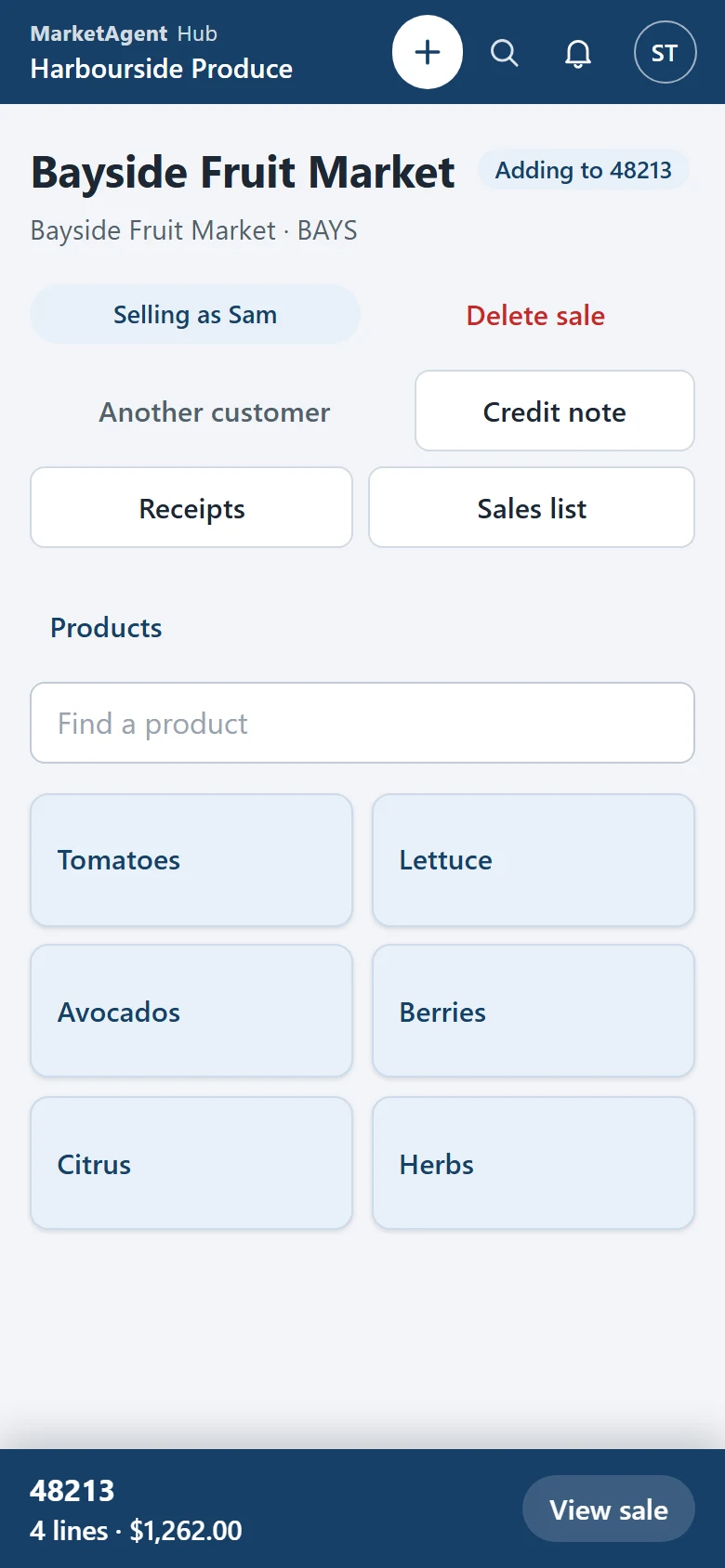
- Stand sales
- Start a sale in Hub or accept an order from the optional Connect add-on. If stock is short, substitute a line or supply what’s available. Price memory shows what sold at each price today and what the buyer last paid.
- Warehouse stock
- Count stock on your phone and see what’s over or short. Record stock transfers and adjustments, and track which customers still have your pallets.
- Grower paybacks
- Price consignments from their sales or by average, then email the payback advice. You can also send your own horticulture produce agreement for the grower to sign in Connect.
- Customer accounts
- Open an outstanding invoice and see the receipts and credits against it. Record a payment against the invoice or raise a credit note for a return.
Follow a grower’s lot.
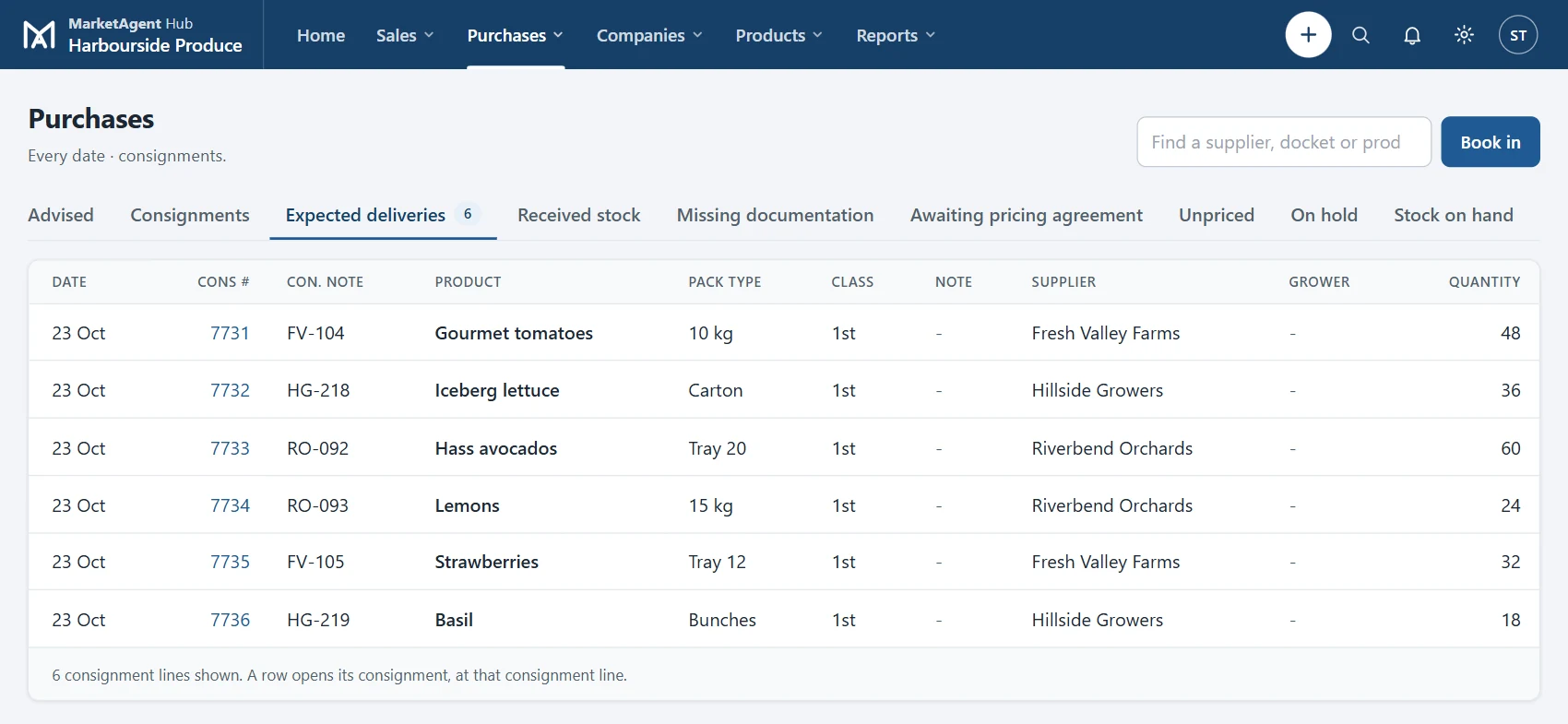
Start with what’s expected. When the truck arrives, book in the quantities that came off it and photograph the condition of the produce.
Repacking cartons into bags? Record how many cartons went in and how many bags came out. The bag sales still count towards the original grower’s payback.
See how the day traded.
Check daily sales, aged receivables and, with the right access, margins by customer. The morning’s “Worth a look” list flags older stock and customers who have stopped buying.
Ask Hub in plain English
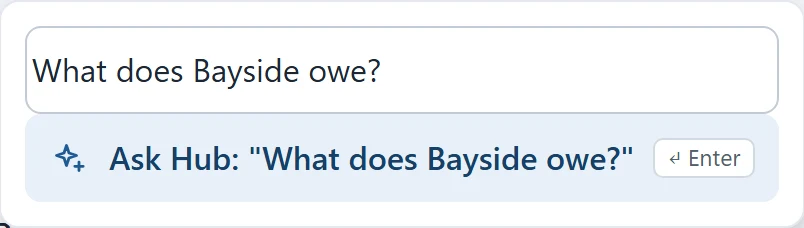
Ask Hub uses Azure OpenAI to understand questions like “What does Bayside owe?” It opens the customer’s account. When your business opts in, Hub can also answer in plain English and highlight the outstanding balance on the page. Each answer uses only figures you have permission to see.
 For the wholesale business
MarketAgent Pro.
MarketAgent Pro is the core system for your wholesale business. Follow a grower’s lot from delivery to the buyers who took it, see what each sale earned and use those sales to work out the grower’s payback.
- Consignments & stock
- Book in produce by grower, pack and size. For each lot, see the quantities sold at each price, the stock still on hand and the effect of returns or adjustments.
- Sales & customer accounts
- Invoice buyers, issue credit notes and apply receipts. Follow a docket back to the grower’s lot, or open a buyer’s account to see what’s overdue and send a statement.
- Grower payments
- Calculate payback by sales or by average, apply deductions and send the grower a payback advice. At the end of the week, prepare the bank file, remittance advices and recipient-created tax invoices for consignments ready to pay.
- Accounts & reporting
- Check margins by grower or customer. Reconcile bank accounts, post journals and review your profit and loss, balance sheet and trial balance. At month end, check debtors, creditors and stock against the ledger.
- On your premises
- Pro runs on your server and prints dockets and pick slips on your existing printers. Astra connects Hub so staff can trade against the same stock. During an internet outage, your team can keep working locally in Pro.
Security & hosting.
Hub and Connect data is held in Microsoft Azure in Sydney. Pro continues to run on your own server, which connects out to the cloud.
- Staff access
- Your team signs in to Hub with your business’s Microsoft 365 accounts. Each person uses their own MarketAgent Pro permissions.
- Buyer and grower access
- Invited buyers and growers sign in to Connect with a code sent by email. They see their own orders, consignments and documents as appropriate to their account.
- Pricing
- Connect buyers enter quantities on the order. They see prices on their own invoices and credit notes.
See MarketAgent at work.
Tell us how your stand trades. The Astra team can walk you through the software and discuss pricing.